macOS App

Create stunning
App Store previews

The fastest way to create App Store preview videos. Smart duplicate detection, auto-adaptation to App Store specs, cuts, transitions, and audio mixing — all in one native macOS app.

Download on the Mac App Store
App Store Preview Studio icon

Everything you need to create
perfect preview videos

Built specifically for iOS and Mac developers who want to create professional App Store preview videos without the complexity of general-purpose video editors.

🔍

Smart Duplicate Detection

Automatically analyzes your recording, detects repetitive content, and marks sections for cutting — keeping only unique, meaningful parts.

⚙️

Auto-Adapt to App Store Specs

Automatically adjusts resolution, frame rate, and duration to match App Store Connect requirements. No manual settings needed.

✂️

Auto Cut & Video Inserts

Automatically cuts your recording into clean segments, removing pauses and dead time. Insert additional video clips to showcase different features in a single preview.

🎞️

Smooth Transitions

Add professional transitions between clips — fades, slides, dissolves, and more to polish your preview.

One-Click Preview Generation

Import your screen recording, and the app handles the rest — detects key moments, trims to fit, and produces a ready-to-upload preview.

🎬

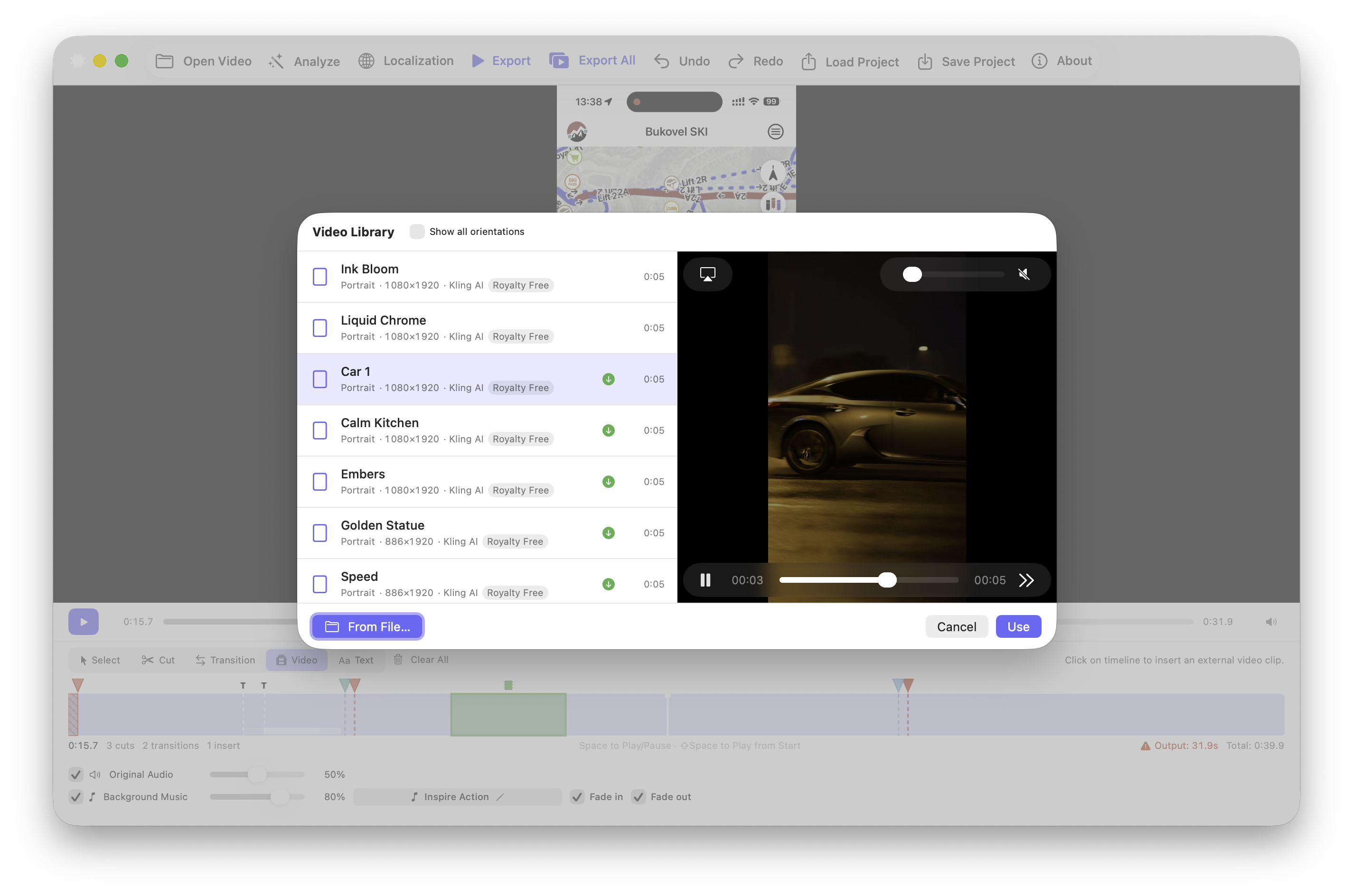
Built-in B-roll Library

Drop in cinematic cutaway clips between your screen captures — devices, hands, lifestyle shots — without leaving the app or hunting through stock sites.

🎶

Background Music Library

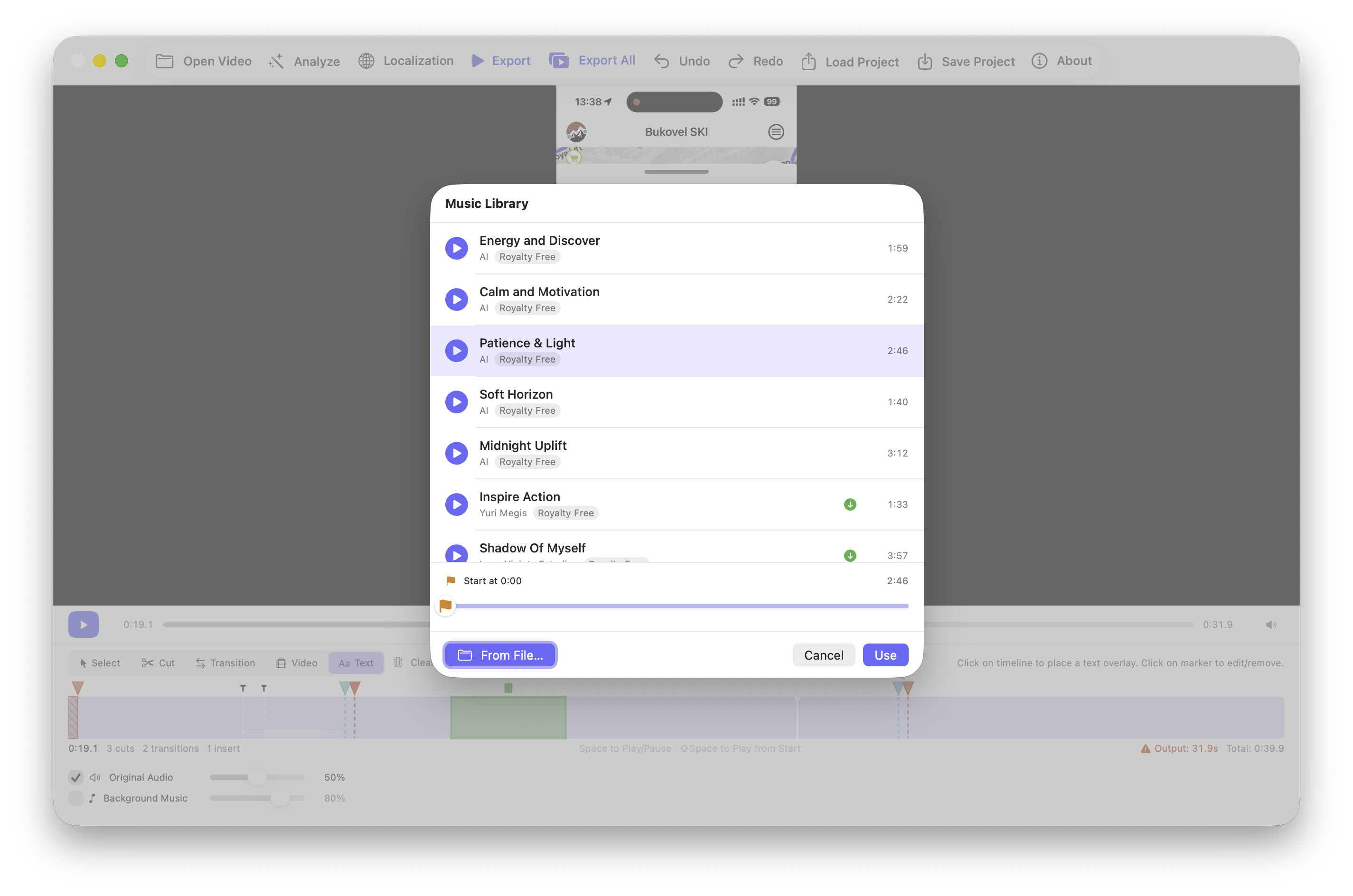
A curated collection of royalty-free background tracks that fit App Store previews — pick one, drop it on the timeline, done.

🚀

Direct Upload to App Store Connect

Push your finished preview straight to App Store Connect via Apple's API — no download, no re-upload, no browser tab juggling. One click from finished video to live in your submission.

📱

Record from Device over USB

Capture your iPhone or iPad screen directly inside the app — just plug in over USB. No QuickTime, no extra tools, no exporting between apps. Recording lands straight in your project ready to edit.

From screen recording to App Store in minutes

1

Import recordings

Drag in your screen recordings, additional video clips, and audio files.

2

Edit and polish

Cut unwanted sections, add transitions between scenes, and mix in background music.

3

Export and upload

Export in the exact resolution for each device and upload directly to App Store Connect.

See it in action

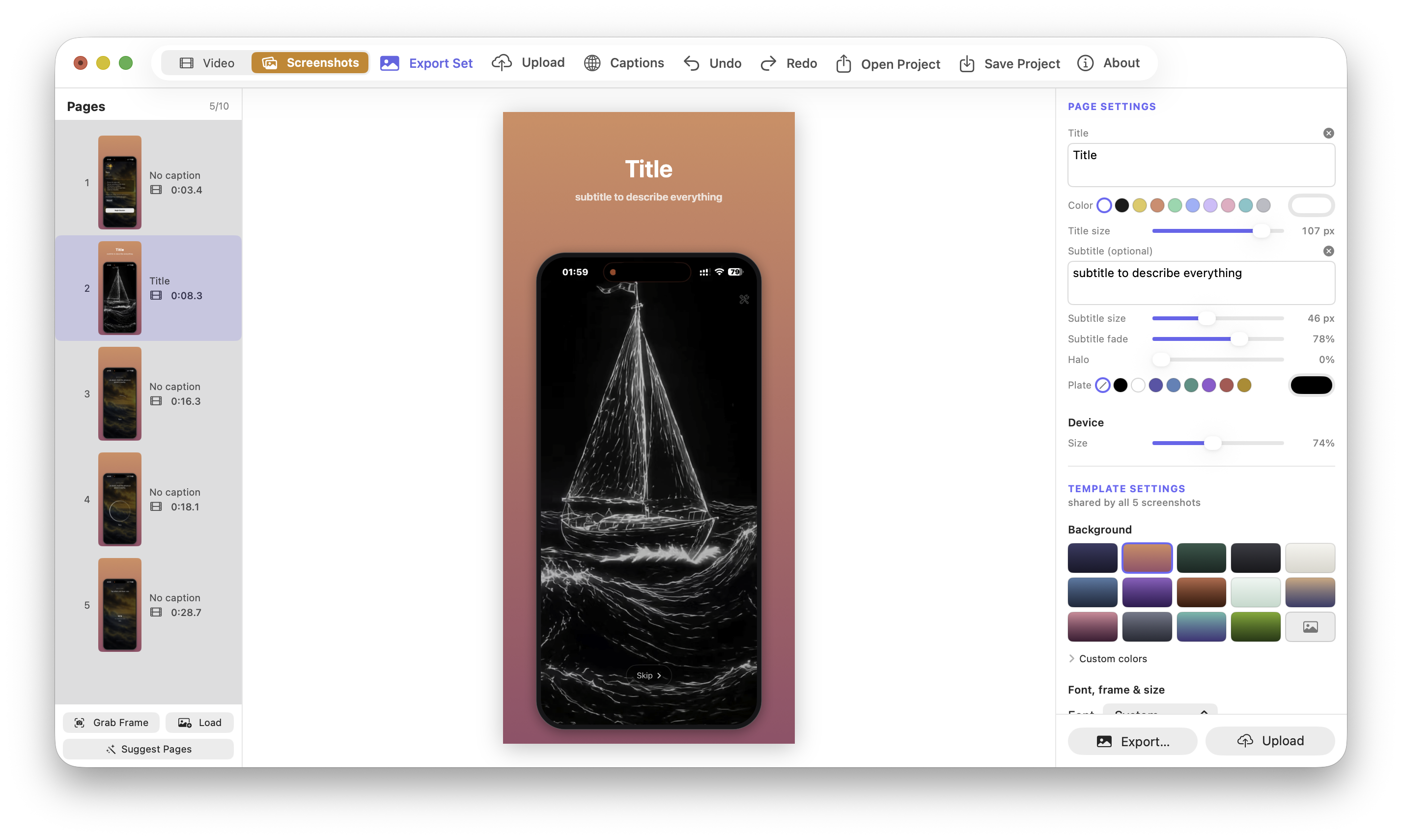
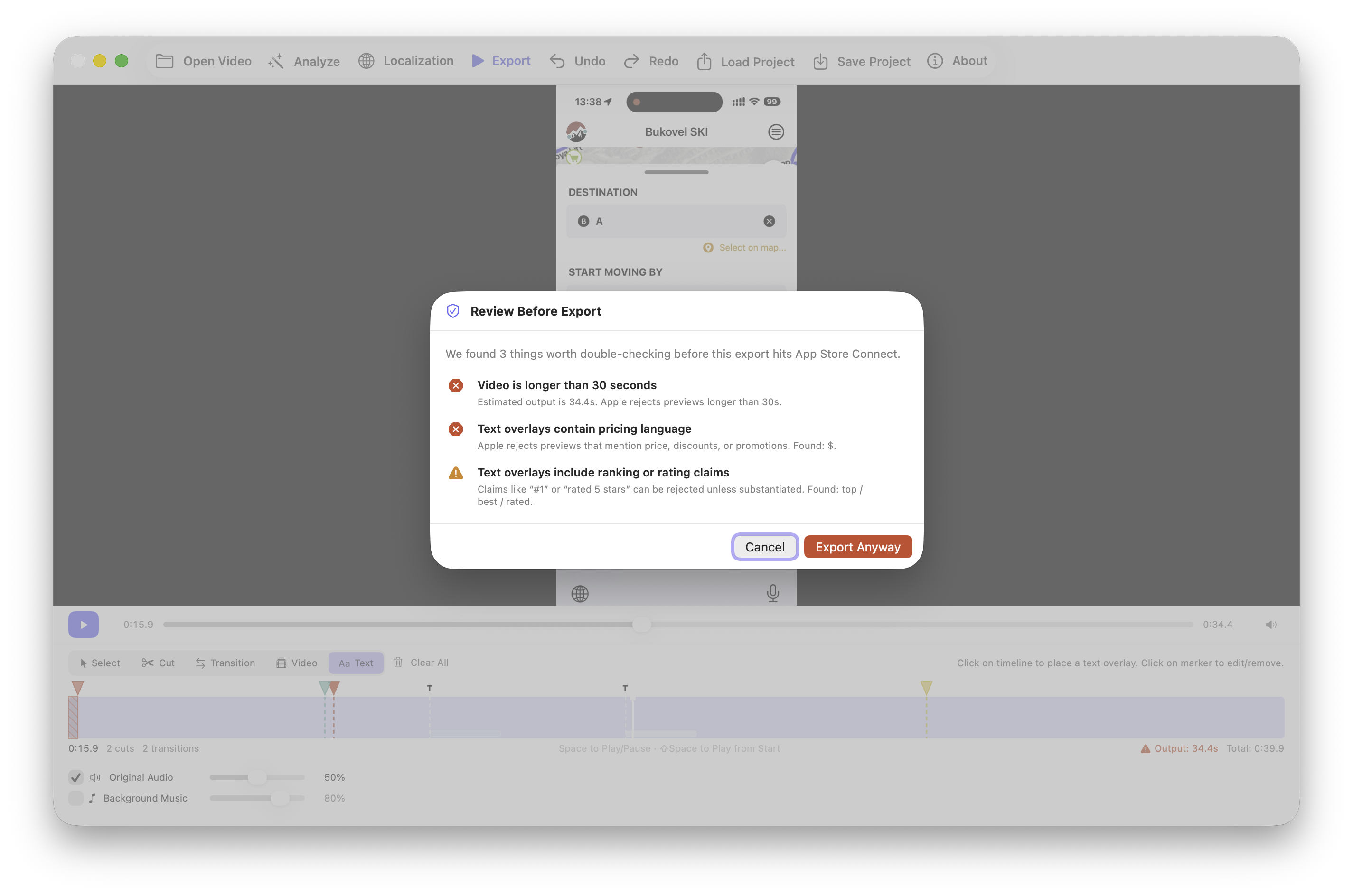
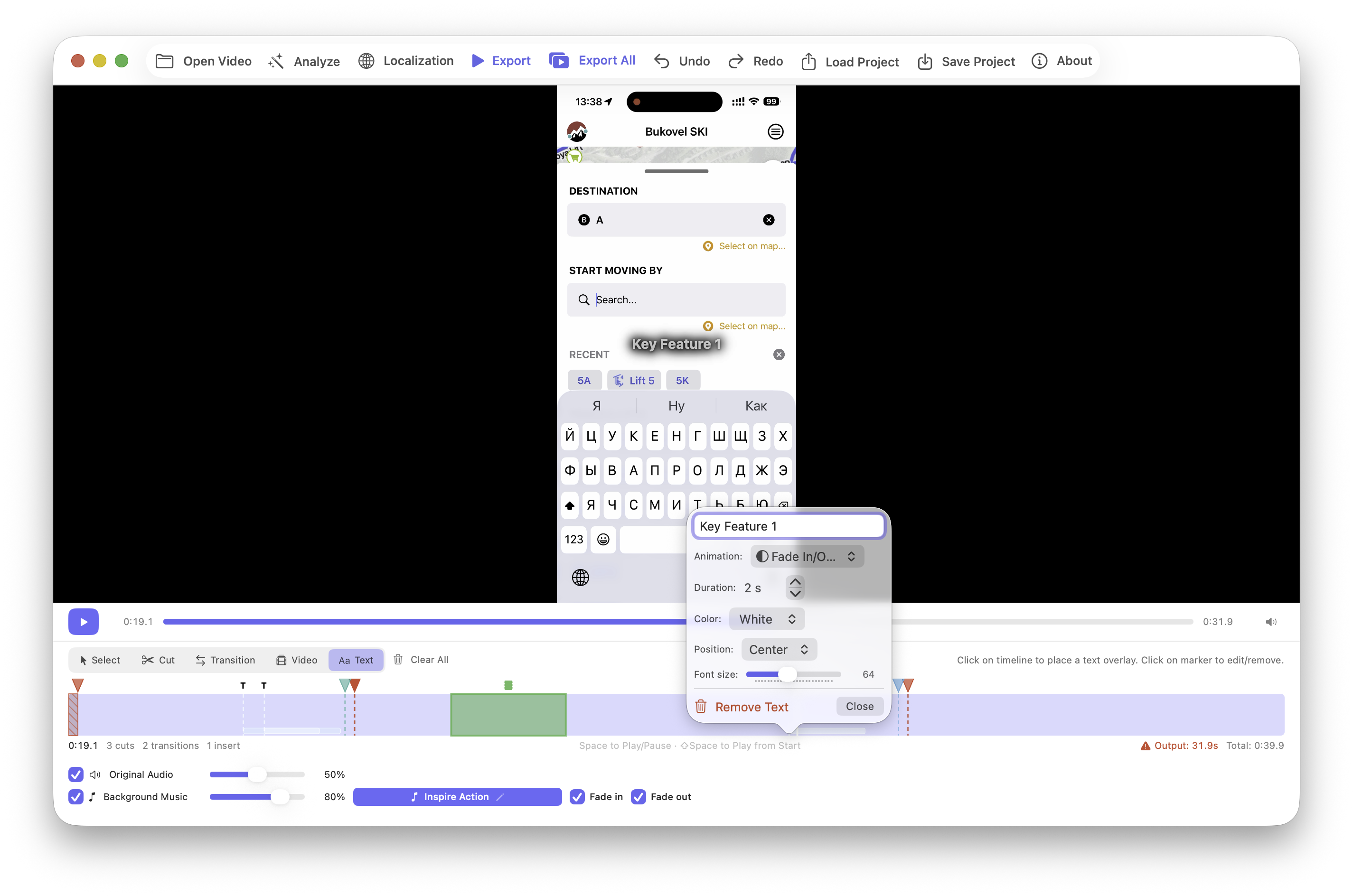
A clean, focused interface designed for one thing — making great App Store preview videos fast.

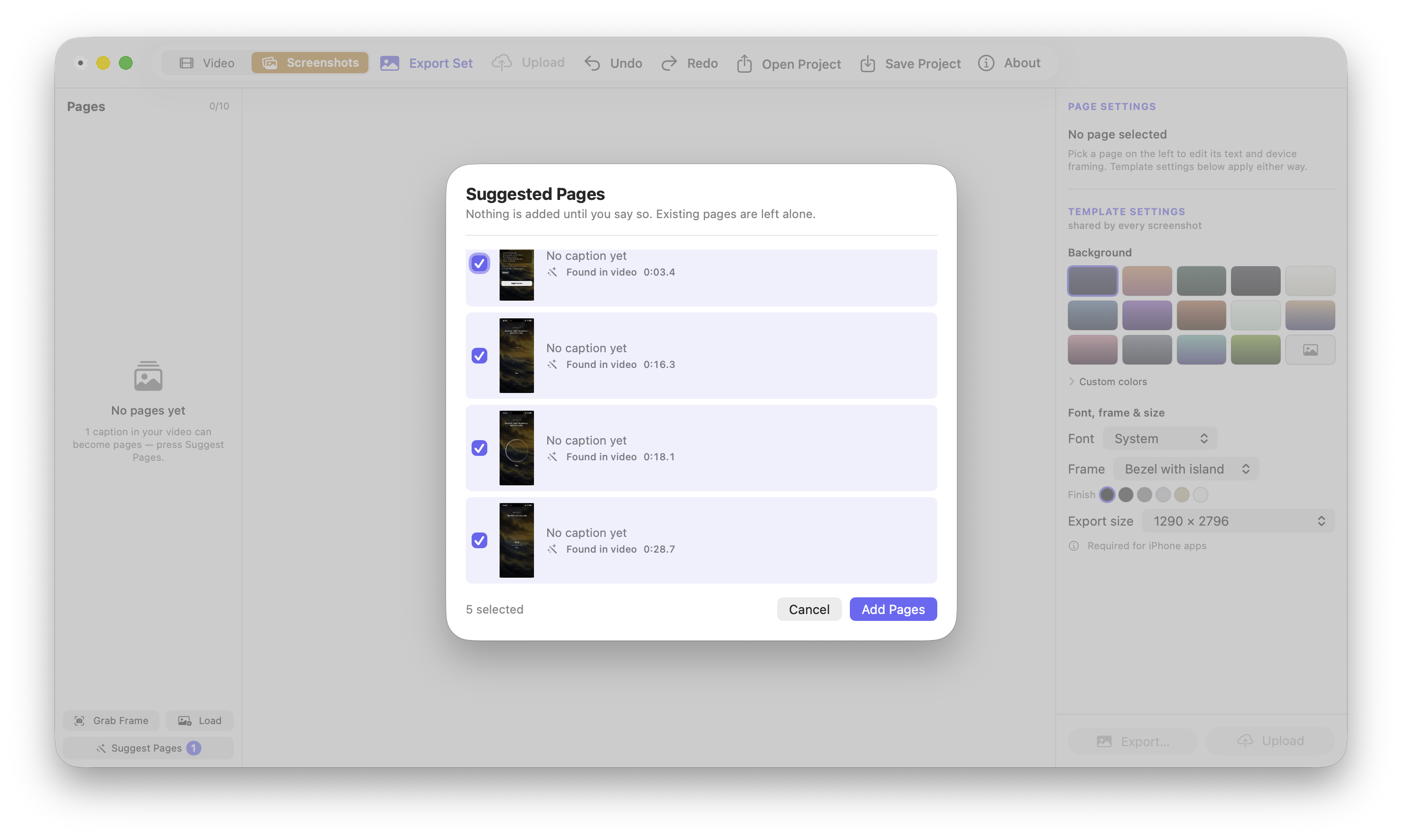
App Store Preview Studio main editor Smart duplicate detection in App Store Preview Studio Audio mixing in App Store Preview Studio Export and adapt to App Store specs in App Store Preview Studio

Why App Store Preview Studio?

Smart analysis detects and marks repetitive content for removal automatically
Auto-adapts resolution, FPS, and duration to App Store Connect requirements
Purpose-built for App Store previews — no bloated timeline or complex UI
Native macOS app with Metal-accelerated rendering
Combine multiple screen recordings and video clips in one project
Mix background music and voiceover with volume envelopes
Create a polished preview video in minutes, not hours
No video editing experience required — designed for developers, not editors

Available on the Mac App Store

Download App Store Preview Studio and create professional preview videos in minutes — not hours.

Download on the Mac App Store →